Indoor humidity monitor or outdoor weather station?
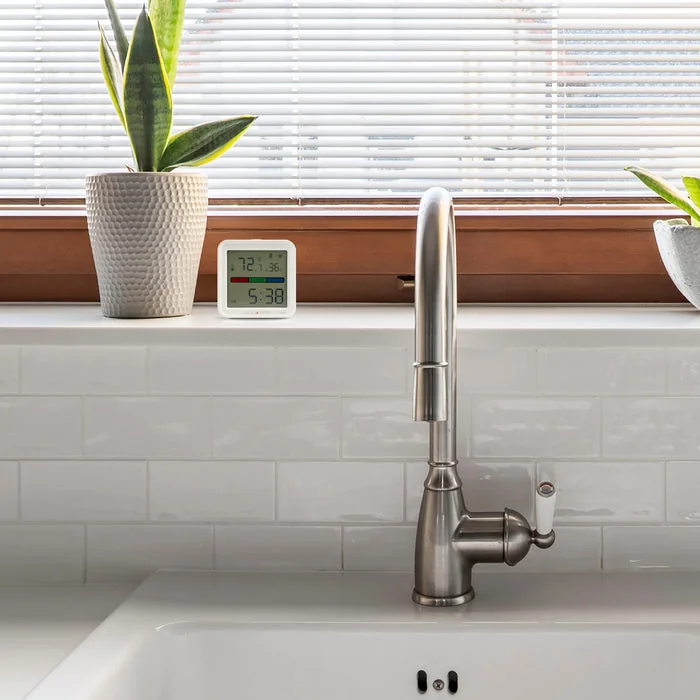
For a room’s temperature and humidity, start with an indoor monitor. For conditions outside your home, compare outdoor sensors and weather stations. Buy the measurements you need before paying for a bigger display or connected features.
This is a buying framework based on manufacturer descriptions, not a hands-on accuracy test. AcuRite sells both indoor monitors and weather stations, but each model’s included sensors and connectivity need checking.
Match the device to the question
| Your question | Start here | Check before buying |
|---|---|---|
| How warm and humid is this room? | An indoor temperature/humidity monitor. | Display readability, placement, stated accuracy and power requirements. |
| How do two rooms differ? | A multi-room setup or separate indoor monitors. | Number of included sensors and whether the display identifies each room. |
| What is happening outside at my home? | An outdoor sensor or weather station suited to your measurements. | Whether the exact kit measures only temperature/humidity or also wind, rain or other conditions. |
| Can I check readings when away? | A model with the required remote-access route. | Wi-Fi or hub requirements, app compatibility, included hardware and ongoing costs. |
AcuRite’s indoor monitor product page and weather station explainer describe these categories. Weather stations combine environmental sensors; available measurements and connection options vary. These official reference links are noncompensated.
Placement is part of the purchase
A device is useful only if you can place it where it measures what you care about. Before buying, read the exact model’s installation guide. Check the intended location, weather exposure, mounting requirements, wireless range and practical access for maintenance. A location that is easy to reach may not suit every sensor.
For an indoor comparison, decide which room matters most. A single display sitting in the kitchen cannot tell you the simultaneous conditions in every room. For an outdoor system, make a plan for the sensors before choosing a kit.
Compare the complete setup
- Write down the readings you need, such as indoor humidity or outdoor rainfall.
- List everything included with each SKU: sensors, display, power supplies and mounting pieces.
- Check compatible replacement sensors and whether expansion is supported.
- Confirm remote access separately. A wireless sensor does not automatically mean internet access.
- Add delivery, any required hub, batteries and mounting hardware to the purchase price.
When the simpler option makes sense
If you only want a readable room temperature and humidity display, an indoor monitor may answer the question with less setup. Paying for outdoor wind or rain measurements does not improve that room reading by itself. Conversely, a basic indoor monitor cannot answer an outdoor rainfall question.
What this comparison cannot promise
We have not tested these products for accuracy, durability or wireless range. A consumer monitor is not proof that a building problem has been diagnosed or resolved. For a purchase tied to an important threshold, check the manufacturer’s specifications and the requirements of your application.
Use the home monitor shopping checklist to compare an exact model, or browse our current shopping picks. Affiliate links are labeled on the shopping pages. Check the item’s current price and conditions before buying.
Start with savings at the pump.
Get the steps for Shell’s new-member offer: 10¢, 20¢, then 30¢ per gallon on your first three qualifying fills.
Up to 20 gallons per fill. Use all three within 60 days of joining. Offer ends December 31, 2026. Separate Shell enrollment and fuel purchase required.